
Incident reports
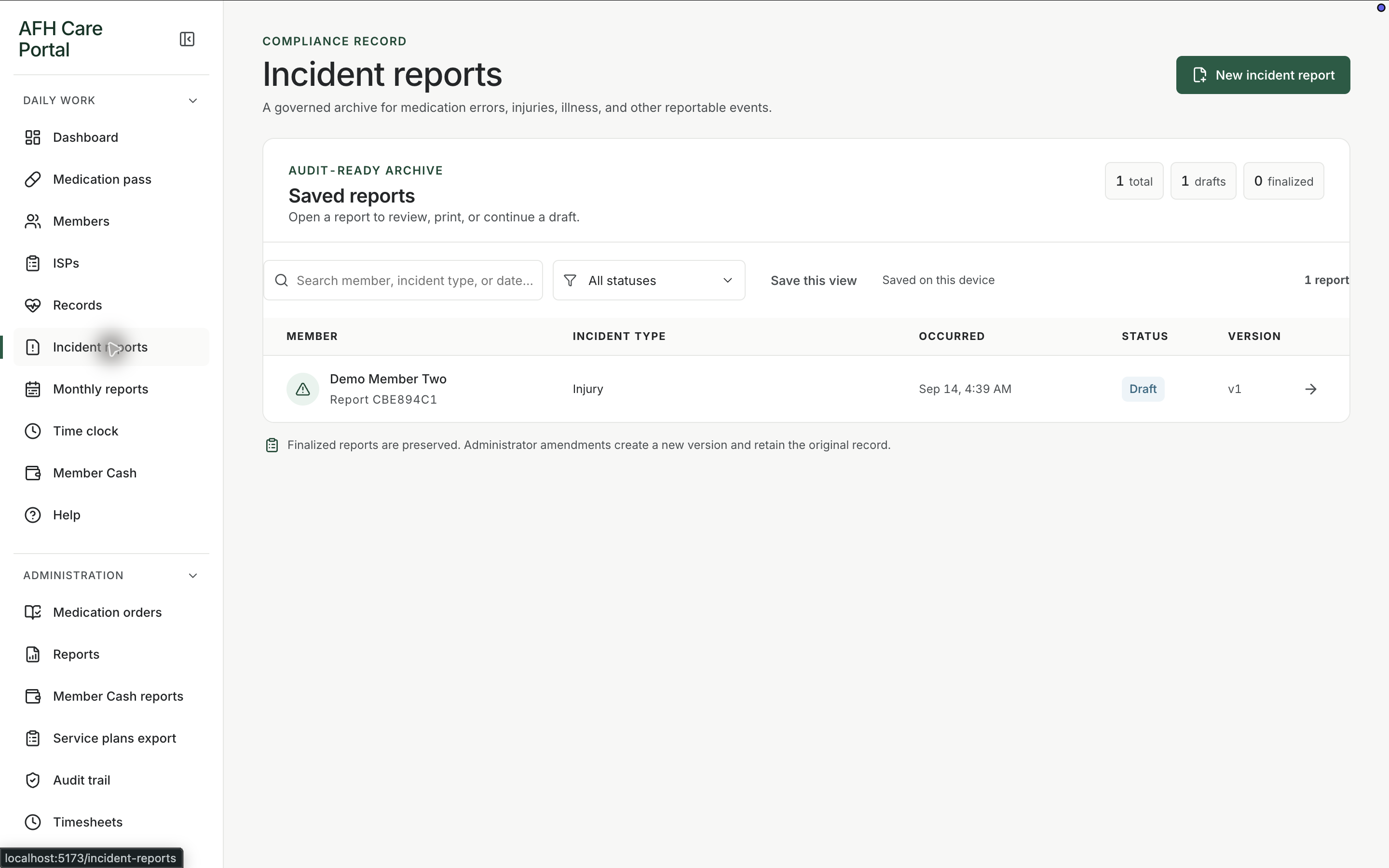
Document what happened, who was involved, and what was done next, then find the report again when a manager or surveyor asks.
What it does
Built for the work on the floor.
Incident reports are how the home writes down events that should not disappear into a conversation at shift change. Staff create a report, capture the facts while they are still clear, and keep the record with the member and the home. Managers can return to the list instead of reconstructing an event from emails and paper. The report is documentation, not a claim about regulatory outcome: it is the workspace for writing, storing, and reviewing incidents inside the same portal as the rest of care.
- Create and review incident reports
- Keep events with the home and member record
- Return to a searchable list instead of paper copies only
Write while the facts are fresh
The incident workspace is available from daily work, so a caregiver does not have to leave the portal to start a report.
Keep the report findable
The list is how a manager later opens the same event without searching a filing cabinet.
Stay with the member record
Incidents sit alongside profiles and other documentation so the person’s story stays in one place.
Related workspace
Nearby tools in the same portal.
Start of the day
Shift dashboard
See remaining doses, overdue work, exceptions, and the next three actions before anyone opens a member chart.
Daily administration
Medication pass
See every member’s standing for the day, then open a person and record the dose, route, time, and outcome.
Resident information
Member profiles
Keep safety context, allergies, diagnoses, orders, incidents, and monthly reporting around the person, not scattered across binders.