
Member profiles
Keep safety context, allergies, diagnoses, orders, incidents, and monthly reporting around the person, not scattered across binders.
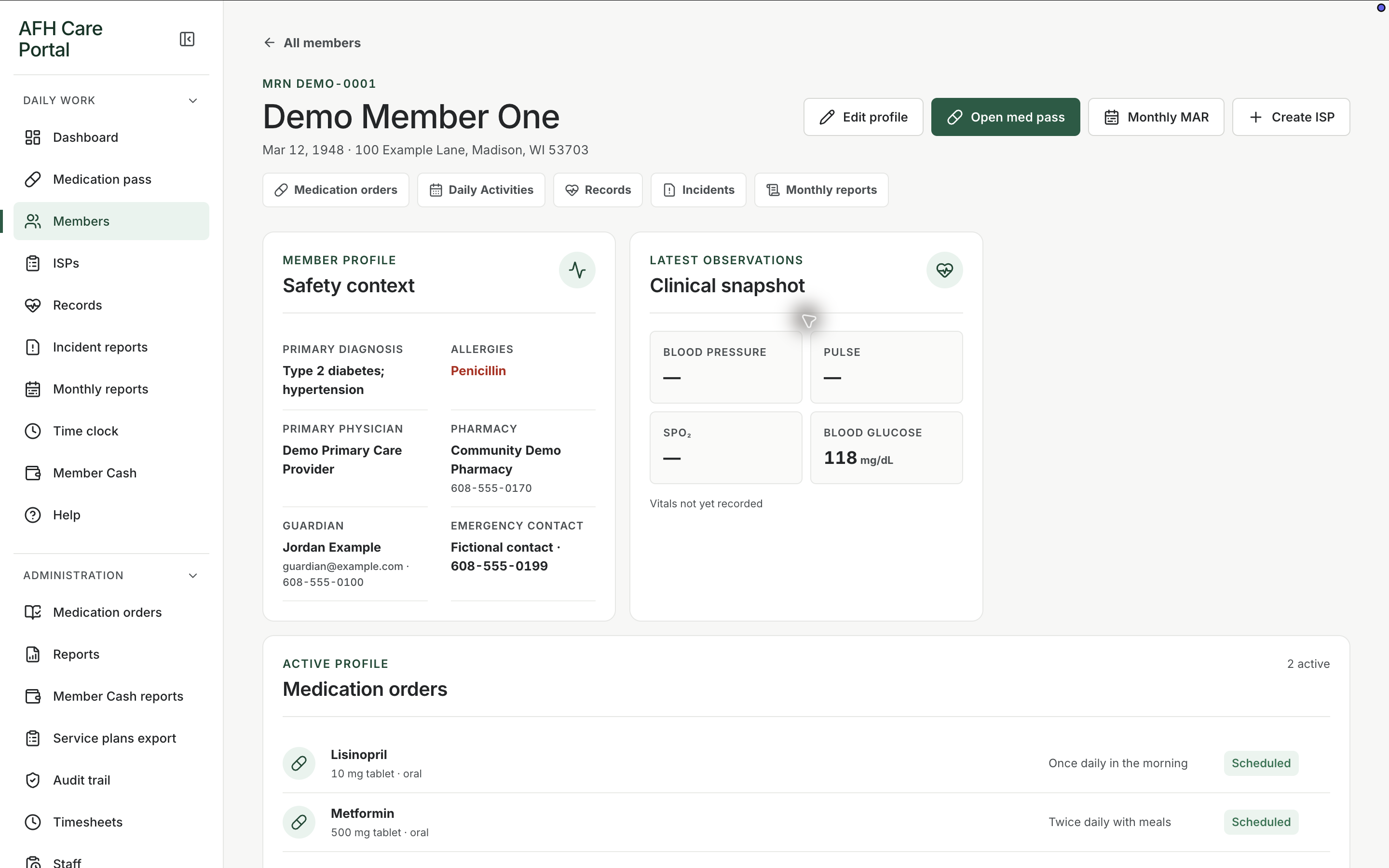
What it does
Built for the work on the floor.
Members is the directory and the profile. The list is how staff find someone quickly. The profile is how they keep working without flipping between a face sheet, an allergy card, and a medication book. Safety information and allergies stay visible. Clinical observations, active medication orders, incidents, and monthly reporting are one or two clicks away. That is the difference between a charting product and a pile of forms: the next task still happens in the same member context.
- Searchable member directory
- Safety and allergy context on the profile
- Clinical snapshot alongside daily work
- Links to active orders, incidents, and monthly MAR
Find the person first
The members list is the index for the home. From there, staff open a profile instead of reconstructing the story from separate paper files.
Keep risk in view
Allergies, diagnoses, and other safety notes sit with the person so a pass or a PRN follow-up starts from the same facts.
Move into the work, not another system
Orders, incidents, and the monthly MAR are linked from the profile so documentation stays attached to the member.
Related workspace
Nearby tools in the same portal.
Start of the day
Shift dashboard
See remaining doses, overdue work, exceptions, and the next three actions before anyone opens a member chart.
Daily administration
Medication pass
See every member’s standing for the day, then open a person and record the dose, route, time, and outcome.
Service planning
Individual service plans
Keep each member’s service plan current, reviewable, and close to the daily work that is supposed to follow it.