
Care records
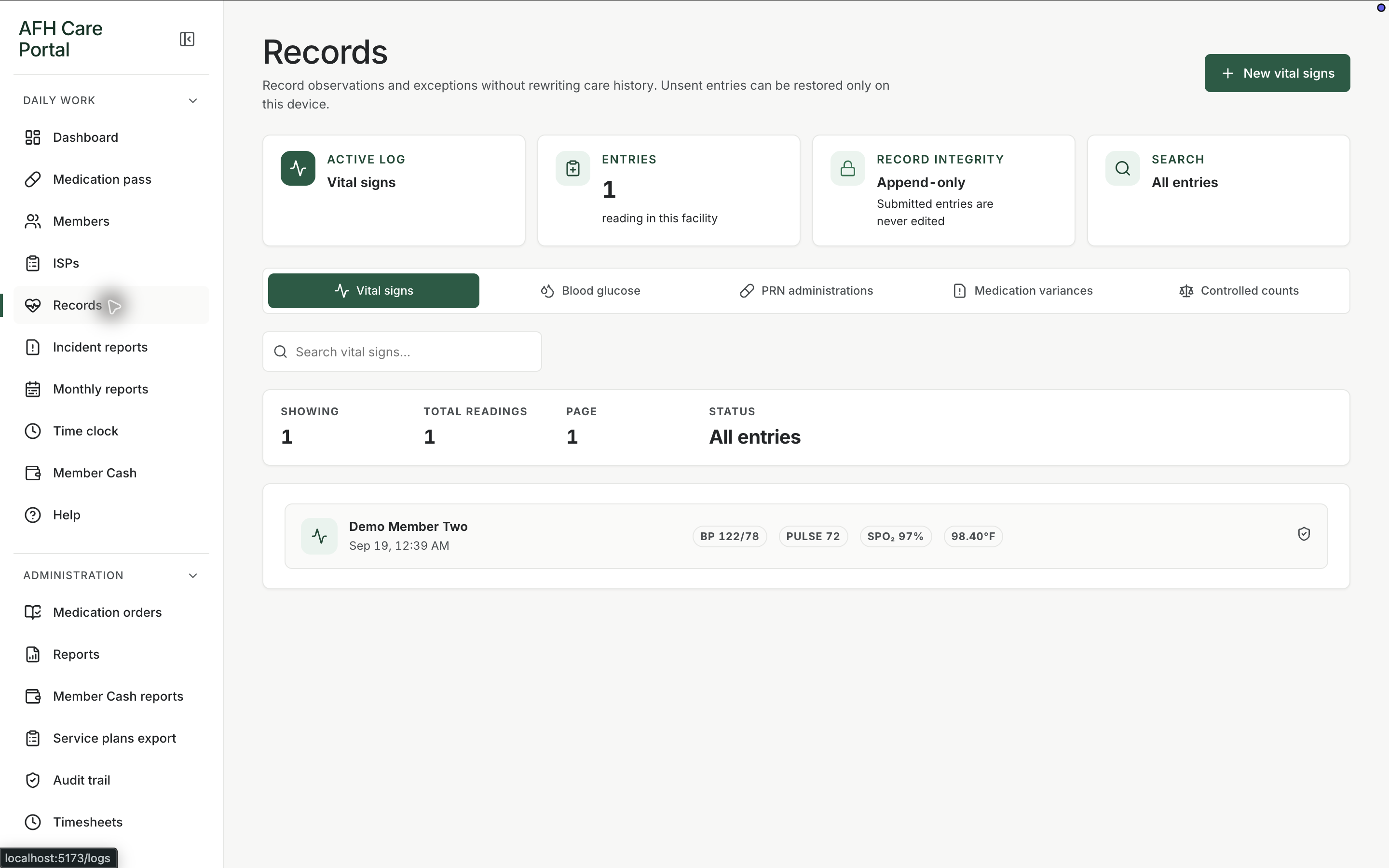
Record PRN follow-up, vital signs, glucose, variances, and controlled-count work without a separate log book for each task.
What it does
Built for the work on the floor.
Records replaces the extra log tabs that used to sit beside the MAR. When the medication pass is not the right place for the work—PRN follow-up, vital signs, glucose, a variance, or a controlled-medication count—staff open Records. The dashboard checklist sends them there on purpose: complete the pass, then document the other care that still has to be written down. Keeping those entries in the portal means the next shift can see what happened without hunting for a clipboard.
- PRN follow-up documentation
- Vital signs and glucose entries
- Variance documentation
- Controlled-count support
- Dashboard link from the daily checklist
Use it after, or beside, the pass
The dashboard tells staff to open Records for care that is not a scheduled pass line: PRN follow-up, vitals, glucose, variances, and controlled counts.
Write once, in the member’s story
Entries stay with the member instead of living in a side notebook that never makes it back to the chart.
Leave a trail
Because the portal keeps an audit history, a later review can see who recorded the observation and when.
Related workspace
Nearby tools in the same portal.
Start of the day
Shift dashboard
See remaining doses, overdue work, exceptions, and the next three actions before anyone opens a member chart.
Daily administration
Medication pass
See every member’s standing for the day, then open a person and record the dose, route, time, and outcome.
Resident information
Member profiles
Keep safety context, allergies, diagnoses, orders, incidents, and monthly reporting around the person, not scattered across binders.