
Timesheets
Turn clock events into hours a manager can review and adjust before they leave the portal for payroll.
What it does
Built for the work on the floor.
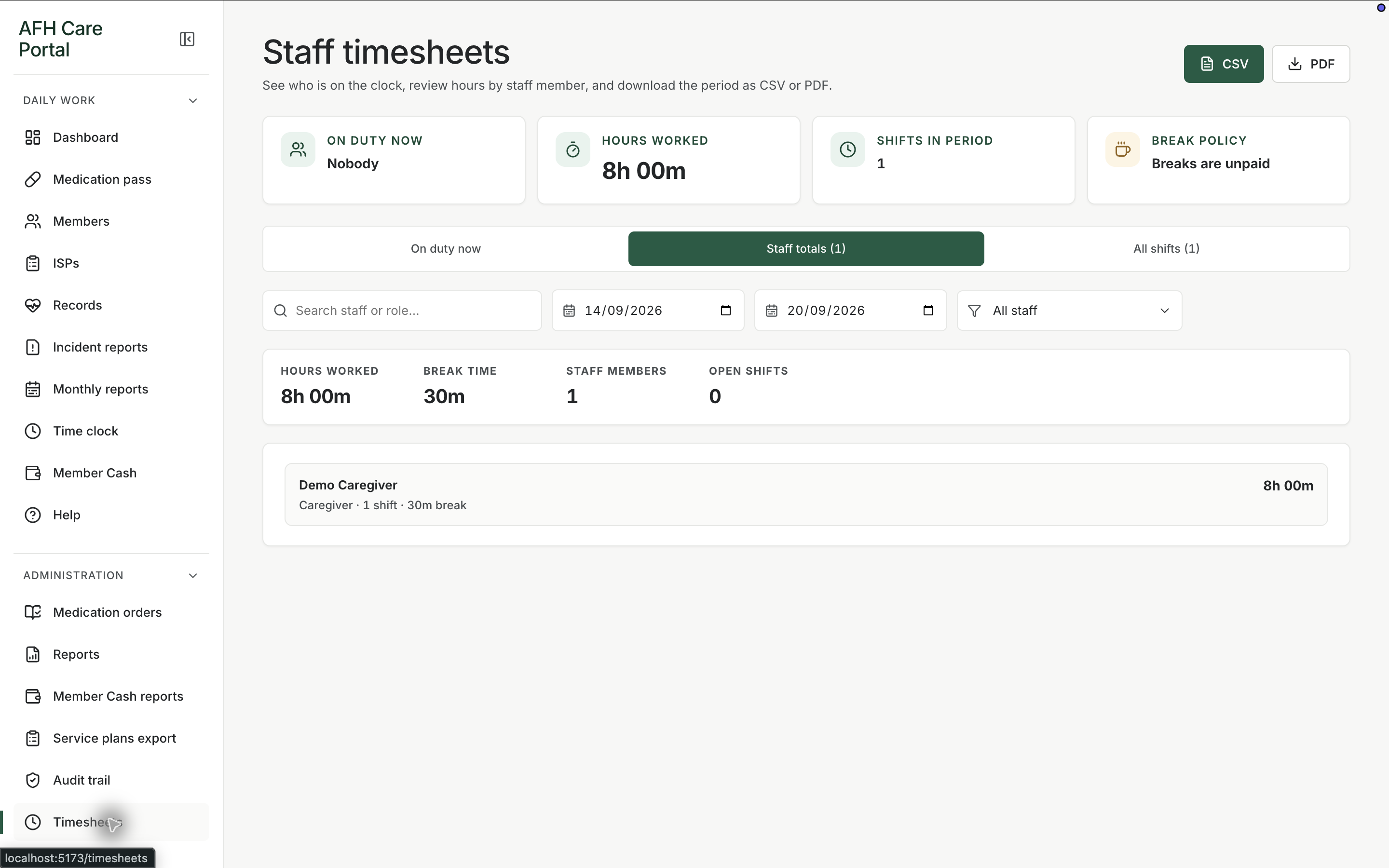
Timesheets are the administrative view of time-clock punches. Staff still clock in on the floor. Managers open timesheets to see hours, make allowed adjustments, and export when payroll or accounting needs a file. The portal is not a full payroll engine. It is the hours record that should not live in a separate spreadsheet nobody updates.
- Hours from time-clock events
- Manager review and adjustments
- Export for payroll follow-up
Review the punches
Open timesheets after the week to see clock-in and clock-out events as hours.
Adjust with a record
When a punch is wrong, the correction belongs in the timesheet workflow rather than a sticky note on a printed sheet.
Related workspace
Nearby tools in the same portal.
Active instructions
Medication orders
Keep the medicine, member, directions, schedule, and status in a structured order that the pass can actually follow.
Review and export
Operational reports
Pull care activity into a reviewable report when a manager, family, or licensing conversation needs more than the live screen.
Fund review
Member cash reports
Review personal-fund activity over a period when a family, manager, or audit question needs the ledger in report form.